Creating Sub Level Bullet Points on Squarespace
When you’re adding your content to your Squarespace website, it’s always a good idea to break it up with subheadings, CTA’s and bullet points.
But what about sub bullet points? Sub bullet points are a second set of bullet points within a bullet point list that have a deeper indent to differentiate them.
Whilst they aren’t all that common, they do crop up in web copy from time to time therefore if you’re a Squarespace web designer, it’s handy for you to know how to add them to a Squarespace website.
Watch the video
Check out the YouTube video below 👇
Start, scale & systemise your web design agency.
I bootstrapped my agency from zero to seven figures. The Margin is the operating system I wish I'd had.
Join The Margin

To add sub bullet points to your bullet point list, once you’ve added your list to your website, place your cursor on the line that you want to turn into a sub bullet point.
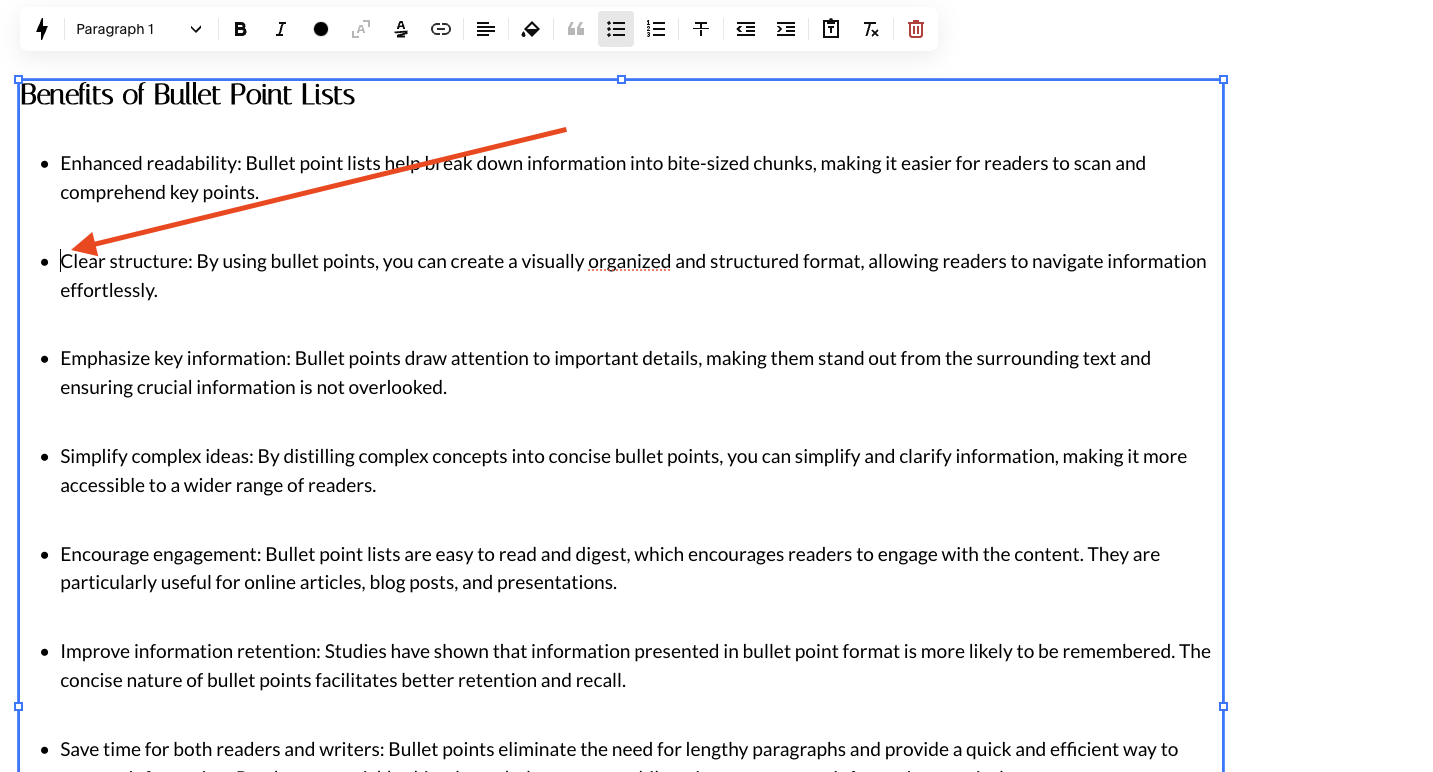
You then need to select the indent icon that appears in the text panel. This will change the format of the line to a sub bullet point and change the icon of the bullet point too.
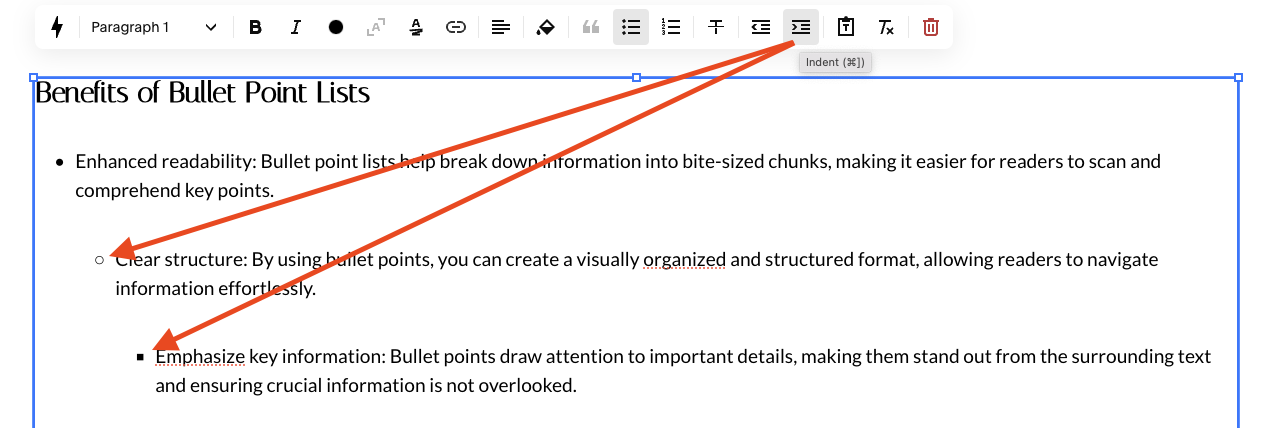
You can add up to two sub bullet points to any list, so a sub bullet point and a sub-sub bullet point!
Hit save and you’ll have added sub bullet points to your website content on Squarespace, a quick and simple technique but one that’s always good to have in your little black book of Squarespace tricks.

Need an expert to build your Squarespace website?
Book a free kick-off call with our team to discuss your project requirements in detail.