Embed a Loom Video on Your Squarespace Website
Screen recording software is one of my most-used tools.
I use it all the time to send update videos to clients and even feature Loom videos on some of my websites.
Embedding a Loom video to your website can be a great sales tool, so let’s find out how to do it.
Watch the video
Check out the YouTube video below 👇
Start, scale & systemise your web design agency.
I bootstrapped my agency from zero to seven figures. The Margin is the operating system I wish I'd had.
Join The Margin

To embed a Loom video on your Squarespace website copy the link of the video you want to embed and head to the page where you want to embed your video.
In the right section you’ll need to add an embed block by clicking on Add Block and selecting embed from the list of options.

Double click on the block and paste your video link into the URL field.
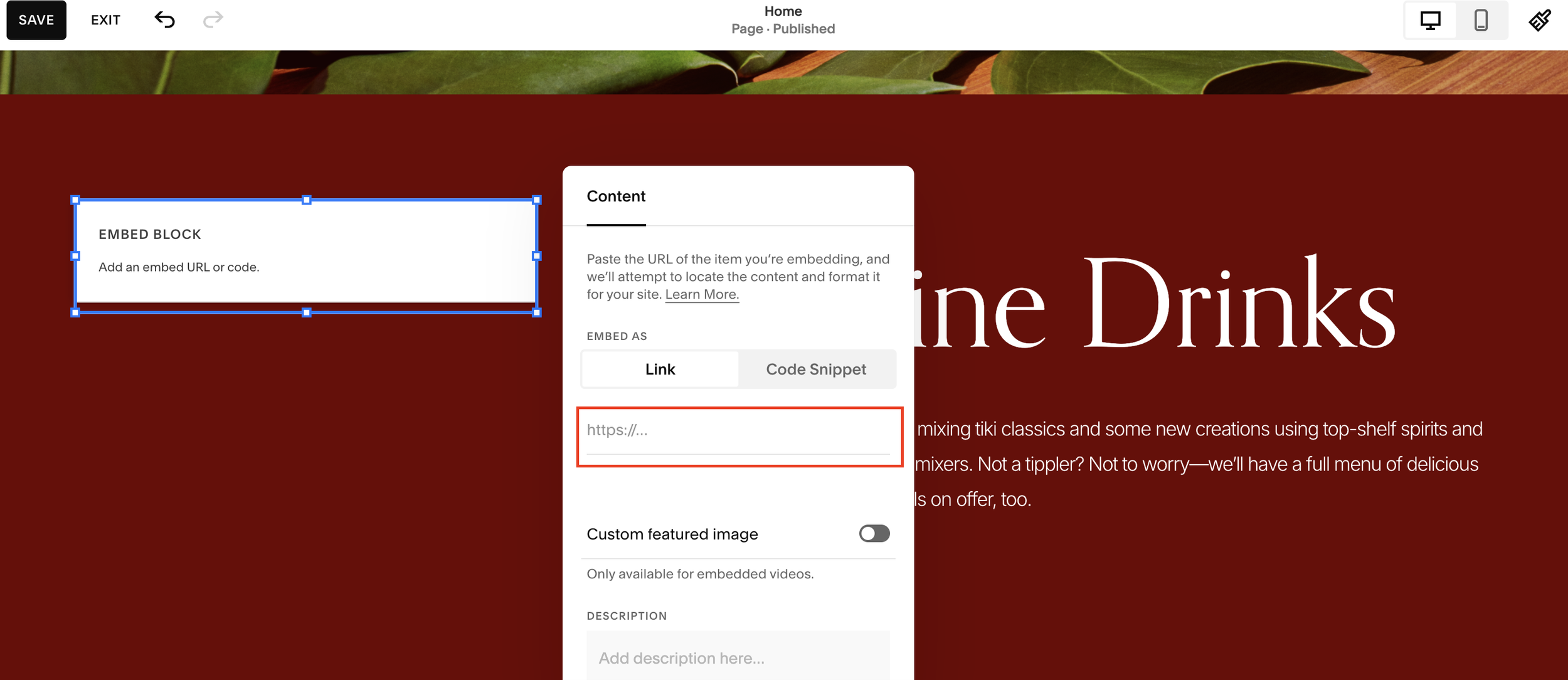
That will add your Loom video to the page.
Hit save and you’re all done. It’s as easy as that!

Need an expert to build your Squarespace website?
Book a free kick-off call with our team to discuss your project requirements in detail.