Hide Page From Search Engines on Squarespace
Sometimes you don’t want a page to be found by search engines.
Whatever the reason, if you want to hide one of your web pages from Google’s bots to ensure it can’t be crawled and ranked there is a way.
Let’s take a look…
Watch the video
Check out the YouTube video below 👇
Start, scale & systemise your web design agency.
I bootstrapped my agency from zero to seven figures. The Margin is the operating system I wish I'd had.
Join The Margin

To hide a page from search engine crawlers simply click on the cog that appears next to the page in your page list to head to the page settings.
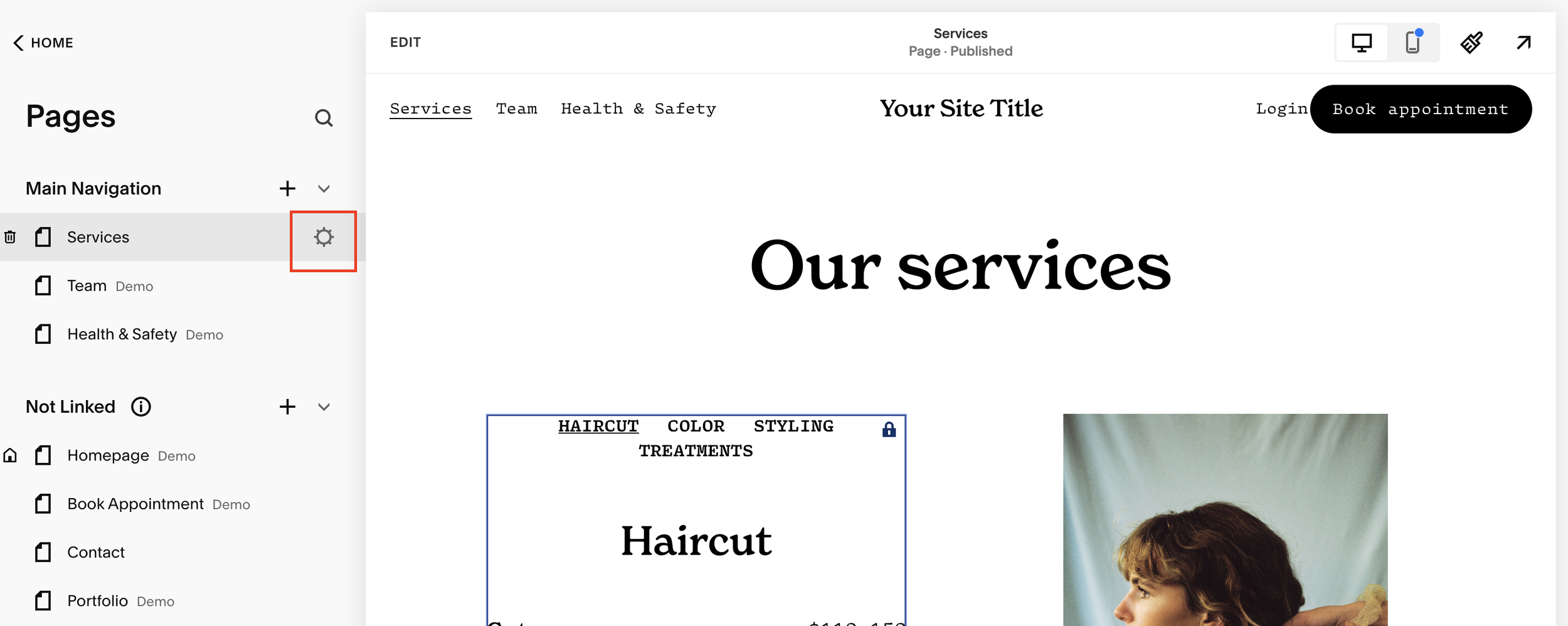
Within the settings panel select SEO and here you’ll see an option to “hide page from search results”.

All you need to do is toggle this to on and hey presto, Google (or any other search engines) bots won’t be able to find, crawl and rank the page.
If you found this article useful don’t forget to check out the rest of my Squarespace guides.

Need an expert to build your Squarespace website?
Book a free kick-off call with our team to discuss your project requirements in detail.