This year I couldn't make it to New York for Circle Day, so I did the next best thing and headed down to the London watch party instead. I was a bit gutted not to be in the room. But a screen full of product announcements, a room full of designers and developers who build on Squarespace every day, and a full day hashing out with my fellow pros which features we’d use most turned out to be a very good way to spend the day.
It's also the first Circle Day in a while where I've come away thinking the product has shifted gear rather than just added bits. A lot of what was shown in the Product Keynote closes gaps we've been papering over with plugins, custom code and workarounds for years. That's the lens I'm writing this through: not "what's new" so much as "what does this remove from our build process at by Crawford, and what does it let us sell that we couldn't before".
Here's what stood out.
The London watch party
The watch party is worth a mention on its own. There's something about watching a keynote with other Circle members that you don't get on your own at a desk. Every announcement gets an instant reaction from the room, and you find out very quickly which features people have been chomping at the bit for.
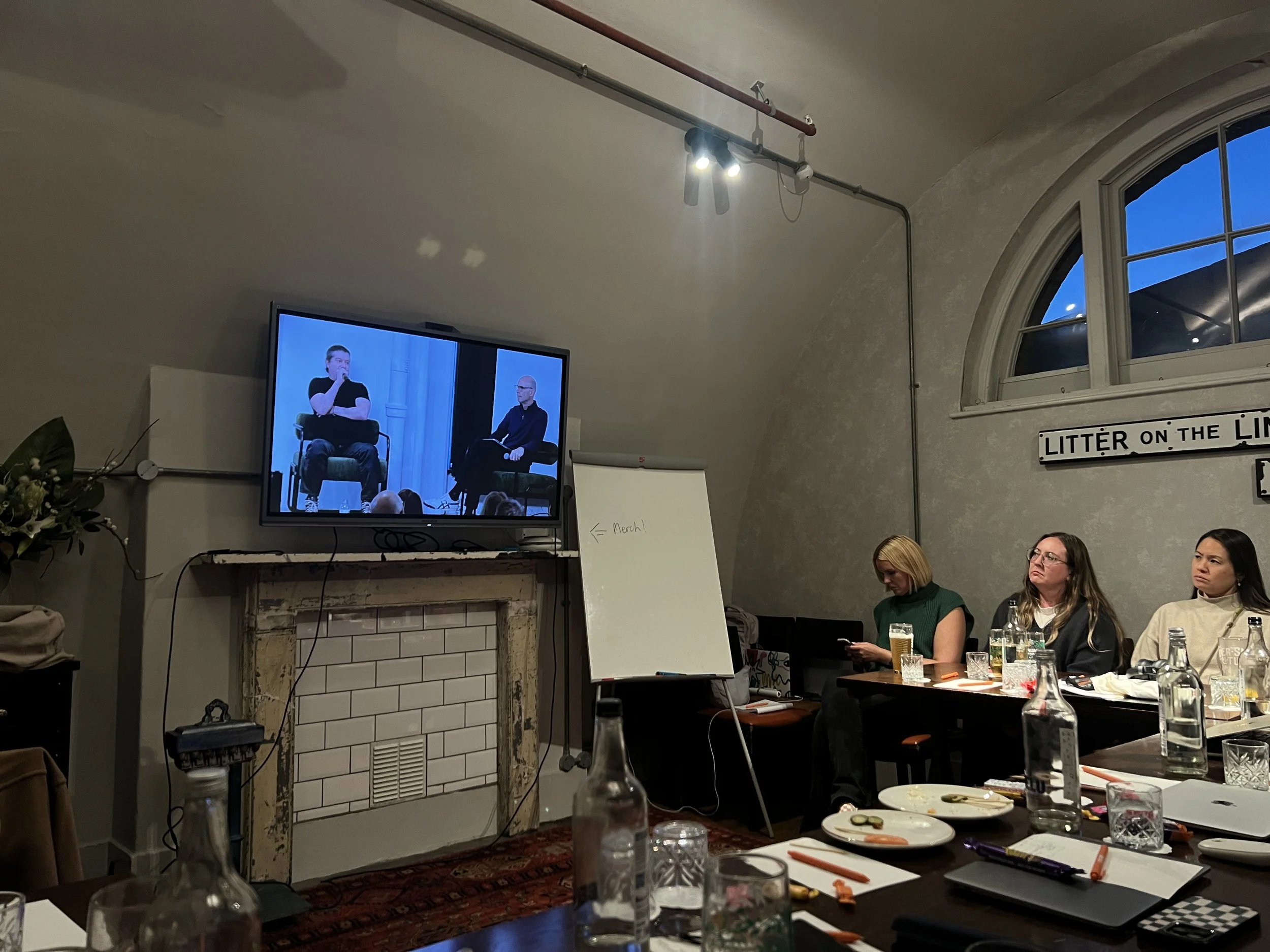
What I enjoyed most was seeing everyone's different takes on the same announcement. A developer sees the React component block and thinks about what they can build. A designer sees portrait video and thinks about the landing pages they can finally do properly without the need for a CSS workaround. Someone running an agency (me) sees SMS Campaigns and starts working out the retainer.
It was great to catch up with designers I usually only speak to online, meet a few new faces, and bounce ideas around with people who've hit the same walls we have. That's really what Circle is for. The product news is the excuse; the conversations are the point.
Image Studio
AI image tools are everywhere now, so I went into this one slightly sceptical. What won me over is the context. Image Studio doesn't just generate a single picture in isolation; it builds a consistent visual world, so the images it produces for a site actually belong together. Same tone and feel across the whole thing.
It sounds small, but it makes the world of difference. The problem with most AI imagery on client sites isn't always that it looks fake - the main issue is the inconsistency. One hero image in one style, a service page in another, and the whole site reads as stitched together. If Image Studio holds that consistency across a project, it's a gamechanger for the clients who come to us with no photography and no budget for a shoot, which is a lot of them.
Advanced Stacks with full links
This actually got an audible reaction in the room. Advanced Stacks already changed how we lay out pages, and the improvements shown at the keynote, particularly making a whole stack a link, are the thing we've been hacking around with custom code on almost every build.
Card grids, service tiles, team blocks, portfolio items: clients expect the whole card to be clickable, not just a button inside it. Until now that meant JavaScript, which meant something to maintain and something to break when the site changed. Having it native is excellent. It's a small feature with a big footprint across our work.
Portrait video
New video aspect ratios, and portrait in particular, sound minor until you think about where video actually comes from in 2026. Clients shoot on their phones. Their content lives on Instagram and TikTok. It's all vertical, and every website has been forcing it into a landscape box.
Being able to drop portrait video straight in and have it sit properly in a layout is one of those changes that makes the site feel like it belongs to the same era as the client's social channels. For the restaurants, fitness studios, creators and personal brands we work with, this is immediately useful.
Custom tables
I cannot overstate how many of our clients need a proper table. Pricing, class timetables, specifications, comparison charts, opening hours across multiple locations. Tables are boring, which is exactly why they’ve been overlooked, and the result has been a lot of ugly embeds and screenshots of spreadsheets over the years.
This isn’t a standalone feature; it comes as part of the updated Code Block announced in the keynote. The upgraded block makes it far easier to drop in and style structured content like tables directly in the editor, without the hacky workarounds we’ve relied on. It’s not glamorous but it’s going to save us hours on a huge proportion of builds.
React components
For me this was the most exciting thing in the keynote, and I say that as someone who sells design more than code. Being able to build React components inside Squarespace, import third-party libraries, and have them run live on the site opens a door that has been firmly shut until now.
These components can reference other parts of the site. Pull in products. Pull in content. Build something interactive that's driven by real data from the same system the client already manages, rather than a static widget bolted on from outside.
Calculators, configurators, filtered product displays, live visualisations: things we'd previously have said "that's a custom build on another platform" to.
It also makes demos far better. Showing a client a component working live with their own products in it is a very different conversation from showing them a mockup and asking them to imagine it.
Page drafts and version history
Anyone who has managed a live client site knows the fear. You want to rework a page, but it's live, and the client doesn't want visitors seeing it half-finished. Or a client makes an edit, breaks something, and asks you to put it back how it was.
Drafts and version history take both of those problems away. We can work on a page properly before anything goes live, and we can roll back when something goes wrong. For an agency managing a large book of sites (like us), this is one of the most practically valuable things announced all day.
SMS Campaigns
This is huge, and I think it's bigger than most people in the room realised in the moment. Email Campaigns has been a solid product for years, but email is a crowded channel and open rates tell the story. SMS goes beyond that. It's direct, it gets read, and for the kinds of local, service-based businesses we often work with (salons, clinics, restaurants, trades) it's arguably the channel that actually converts.
Having it inside Squarespace, connected to the same customer data, means we can offer a proper marketing retainer around it rather than stitching together yet another third-party tool. For by Crawford, that's an entirely new line we can sell, which excites me!
MCP, APIs and the new developer site
If you follow how we work at by Crawford, you'll know we've gone all in on AI-assisted delivery. So the announcement that mattered most to me strategically was MCP support, alongside the wider push on integrations, APIs and extensions, and a brand new developer site to tie it together.
MCP is what brings Squarespace into the new world. It means AI tools can talk to a Squarespace site directly: read, update & manage it. For us, that's the difference between Squarespace being a place we build sites and Squarespace being the single source of truth that our whole delivery pipeline plugs into. Content, SEO updates, maintenance, reporting, all managed from one place, with AI doing the heavy lifting and the site as the system of record.
I've spent a lot of this year building that kind of workflow around Squarespace. Having it supported from inside the platform rather than bolted on is a big deal, and I think it's the announcement people will look back on in a couple of years as the turning point.
Google and Facebook reviews
A quieter one, but welcome. Pulling Google and Facebook reviews natively into Squarespace removes one of the most common third-party plugins on our client sites. Reviews are the single most requested trust element from local businesses, and until now the answer has always been an external widget with its own subscription, its own styling fights and its own breakages.
Forma
And then there's Forma, which got an early preview in the keynote and is the thing I haven’t stopped thinking about most since.
In short, Forma is an AI builder on a ground-up platform within Squarespace. You describe what you want, it builds it, and the result is piped straight into Squarespace's infrastructure. That is what separates it from every other AI builder out there. Plenty of tools will generate you an app or a site. Very few will hand you one that already sits on top of payments, Email Campaigns, SMS Campaigns, customer profiles and the rest of a mature commerce and marketing back end. Forma does.
The way I see us using it at by Crawford is less about building websites faster and more about building things we couldn't build at all before. Take a typical client project. Today we'd design and build the site in Squarespace and hand over the standard editor. With Forma, we could build the site, then build a dashboard on top of it, then build the client their own editing experience: a completely custom editor, with the sections they should touch unlocked and the ones they shouldn't locked down. Whatever the client needs, shaped around how they actually work rather than how a general-purpose editor works.
That's a different kind of agency offer. It means the gap between "a Squarespace site" and "a custom platform" more or less disappears, without us giving up any of the back-end feature set that makes Squarespace the right choice for small businesses in the first place. I've got a list of client projects I'd like to point it at already, and a couple of personal ones too. It's the announcement I'm most impatient to get my hands on.
What this means for our clients
Step back from the individual features and a theme emerges. Almost everything announced either removes a workaround (full-link stacks, custom tables, native reviews, portrait video), de-risks managing a live site (drafts, version history), or opens up a capability we'd previously have had to leave the platform for (React components, SMS, MCP).
For by Crawford clients, that translates into three things:
Cleaner builds with less third-party code. Fewer plugins means faster sites, fewer things that break and lower running costs.
More we can do without leaving Squarespace. Interactive components, SMS marketing and AI-driven site management are now on the table for businesses that would never have had the budget for a custom platform.
A platform that fits how we work now. MCP and the developer tooling mean our AI-first process and the client's site finally speak the same language.
I'd have loved to be in New York for it. But sat in a room in London with a group of people who care about this stuff as much as I do, watching Squarespace catch up to where the web is heading and in a few places get ahead of it, was not a bad consolation. Roll on next year.
Thanks to the Squarespace Circle team for putting on the day and for the invitation to write this up. Opinions, as ever, are my own.