Track Your AI Visibility With Squarespace
Squarespace has recently launched an exciting new feature that helps website owners track their visibility across AI platforms, and it could be a game-changer for SEO.
Built directly into the Squarespace dashboard, the new SEO / AI Visibility tool allows you to monitor how your brand appears in AI-generated search results, identify content gaps, and improve your online presence across tools like ChatGPT and other large language models (LLMs).
In this guide, we’ll walk through how it works and how you can use it to improve your Squarespace SEO strategy.
What Is Squarespace’s AI Visibility Feature?
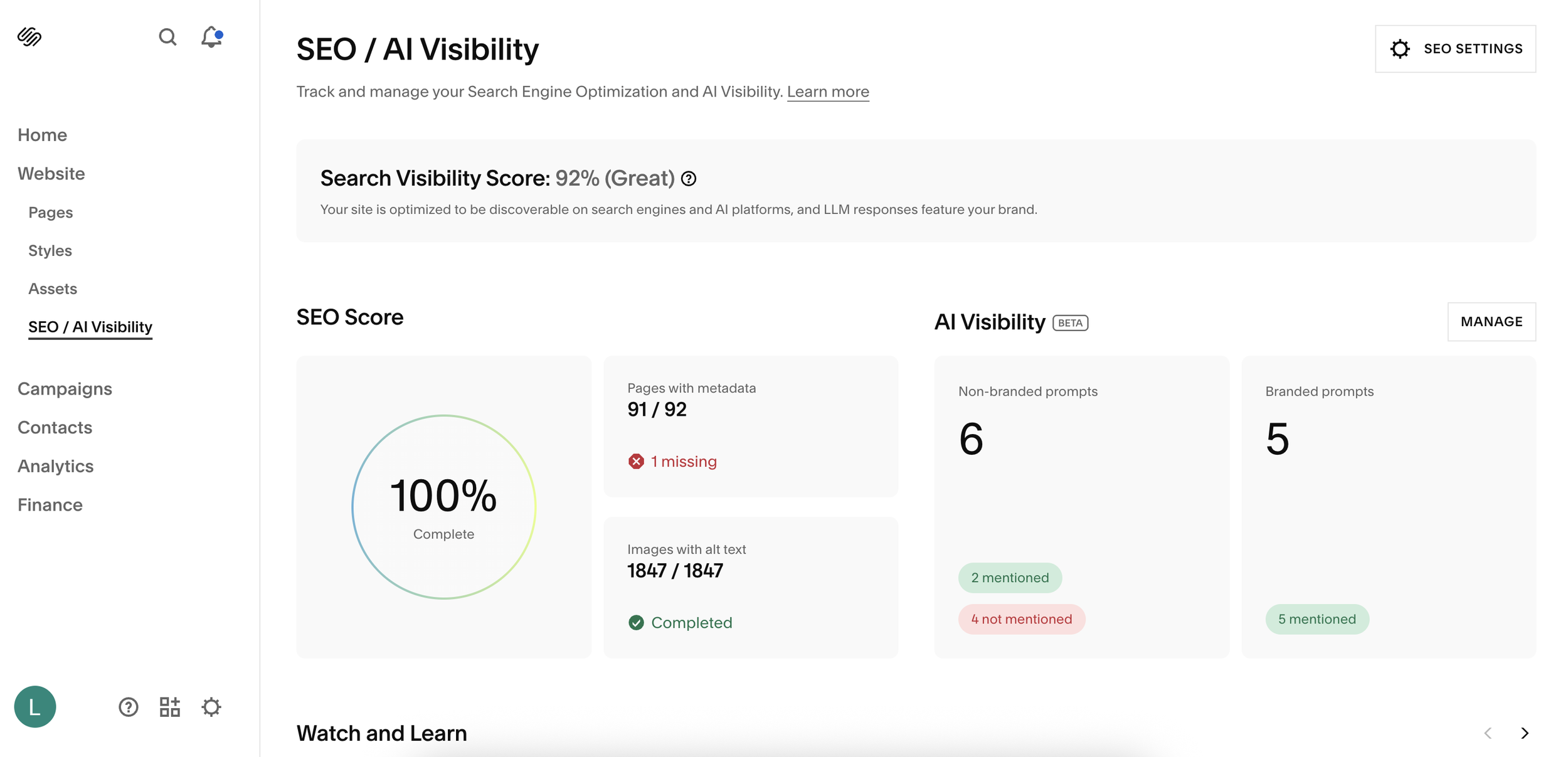
The new AI Visibility feature, currently in beta, lives inside your Squarespace dashboard under:
SEO > AI Visibility
Once inside, you can click Manage to access a dashboard where Squarespace lets you run prompts and track whether your website or brand appears in AI-generated answers.
This gives you direct insight into how AI tools interpret and recommend your business online.
For example, Squarespace may run prompts like:
“What are the benefits of hiring a professional for Squarespace website design?”
From there, you can see:
Whether your brand is mentioned
Which sources are being cited
What AI platforms are saying
Where competitors are appearing instead
This is incredibly valuable for modern SEO.
Start, scale & systemise your web design agency.
I bootstrapped my agency from zero to seven figures. The Margin is the operating system I wish I'd had.
Join The Margin


Need an expert to build your Squarespace website?
Book a free kick-off call with our team to discuss your project requirements in detail.
Why AI Visibility Matters for SEO
Traditional SEO focuses on ranking in Google search results.
But now, more users are turning to AI-powered search tools and assistants for recommendations, business discovery, and answers.
That means your content now needs to be optimised not just for Google, but also for:
AI search engines
ChatGPT recommendations
LLM-generated answers
voice and smart assistants
Squarespace’s new feature helps you identify exactly where your brand is being surfaced, or missed entirely.
If you notice you’re not appearing for important prompts, it’s a strong signal that you need to create content around those topics.
For example, if AI is frequently answering questions around:
Squarespace website design benefits
…but your site isn’t referenced, that’s a clear opportunity to create a blog post, landing page, or service page targeting that topic.
How to Use Custom Prompts
One of the most useful features is the ability to add your own prompts.
For example, you might test:
“Who is the best Squarespace designer in Liverpool?”
Squarespace will then run the query and show:
if your business is mentioned
where you rank
which competitors appear
what sources the AI is pulling from
This is especially useful for local SEO and service businesses.
If you offer Squarespace web design in Liverpool, this helps you understand how visible you are in location-based AI searches.
Branded vs Non-Branded Queries
Squarespace also categorises prompts into:
Branded Queries
These include your brand or business name.
For example:
“Does [Brand Name] provide SEO optimization for Squarespace sites?”
These queries help you understand how strong your brand authority is online.
Non-Branded Queries
These are general search terms that don’t mention your business.
For example:
“Top rated Squarespace website designers”
These are often more competitive but incredibly important for attracting new customers.
Ranking well here means AI tools are recommending you even when users don’t already know your brand.
Use It to Identify Content Gaps
One of the biggest advantages of this feature is content gap analysis.
By reviewing where AI platforms are pulling answers from, you can identify opportunities such as:
industry directories
blog listicles
comparison articles
local business listings
niche service pages
For example, if competitors are appearing in “best Squarespace designers” roundups, you may want to:
get featured in similar directories
create stronger service landing pages
publish authority blog content
improve local citations
This helps strengthen both traditional SEO and AI discoverability.
Track Performance Over Time
This isn’t a one-time tool.
Squarespace’s AI Visibility feature works best when used as part of your monthly SEO reporting and analytics process.
Over time, you can track:
prompt visibility
ranking position
competitor movement
source changes
branded authority growth
Because AI sources refresh regularly, your rankings may change often. That makes ongoing monitoring essential.
Final Thoughts
Squarespace’s new AI Visibility tool is one of the most useful SEO features they’ve released in recent years. If you want to go beyond organic AI visibility and actually advertise inside ChatGPT, Focal is a done-for-you ChatGPT Ads agency built by the same team behind SEOSpace.
As AI search continues to grow, understanding how your brand appears in AI-generated results is becoming just as important as Google rankings.
If you use Squarespace for your business website, this feature offers a practical way to:
improve SEO strategy
create better content
track competitors
grow brand visibility in AI search
It’s definitely worth checking regularly as part of your wider digital marketing efforts.