Hide Your Squarespace Pages From Search Results
If you want to hide pages on Squarespace from search engines, you’re in the right place. This is especially useful if you have private pages for specific clients, internal reports, or content that should only be accessible via a direct link.
In this guide, I’ll show you exactly how to stop Google and other search engines from indexing a Squarespace page, plus how to add an extra layer of security with password protection.
Why Hide a Page From Search Engines?
There are several common use cases for hiding Squarespace pages from search results:
Client-specific dashboards or reports
Private landing pages
Draft or internal-only content
Temporary pages not ready for SEO
Sensitive business information
Start, scale & systemise your web design agency.
I bootstrapped my agency from zero to seven figures. The Margin is the operating system I wish I'd had.
Join The Margin


Need an expert to build your Squarespace website?
Book a free kick-off call with our team to discuss your project requirements in detail.
Step 1: Create a Hidden Page in Squarespace
First, create a page that isn’t publicly visible in your main navigation.
Go to Pages
Scroll to the Not Linked section
Click + and choose Blank Page
Name the page (for example, a client name or internal reference)
Pages in the Not Linked section won’t appear in your site navigation, but they are still accessible via direct URL.
Step 2: Hide the Page From Search Results (Noindex)
To stop search engines from indexing the page:
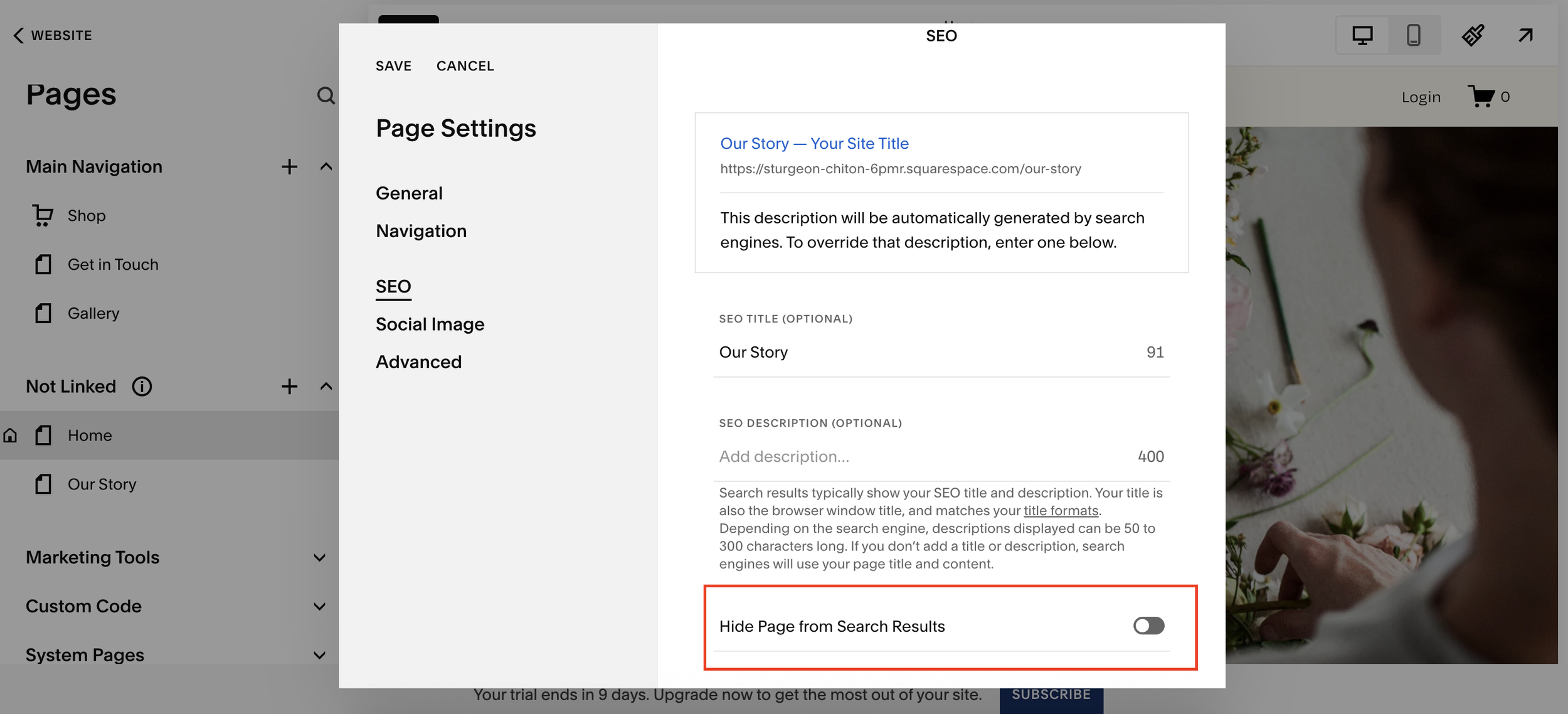
Click the cog icon next to the page
Go to SEO
Toggle Hide page from search results
Save your changes
This adds a noindex directive, telling Google and other search engines not to display the page in search results.
Step 3 (Optional): Password Protect the Page
If the page contains sensitive or client-only information, you can go one step further and password protect it.
Click the cog icon again
Go to Password
Set a secure password
Click Save
Now the page is:
Hidden from search engines
Protected behind a password
Only accessible to people you share the link and password with
Important Things to Know
Not linked doesn't mean hidden from Google - Pages must be explicitly set to Hide page from search results to prevent indexing.
Password protection adds security - This is ideal for client portals, reports, or private agreements.
Search engines may take time to update - If a page was previously indexed, it may take some time for it to disappear from search results.
Final Thoughts
Hiding pages on Squarespace is quick, easy, and incredibly useful for client-specific or private content. With just a few clicks, you can control who sees your pages and whether search engines can find them at all.