How to Restrict Cookies on a Squarespace Website
Cookies and data privacy are a big deal, especially depending on where you and your website visitors are located. Some countries have strict cookie legislation (like GDPR), others are more relaxed, and some don’t regulate cookies much at all.
The good news? Squarespace makes it easy to restrict cookies on your website, helping you stay compliant with data privacy laws and giving your visitors more control.
In this guide, I’ll show you exactly how to restrict cookies on a Squarespace site, why it matters, and how to turn the setting on or off whenever you need.
Why Cookie Restrictions Matter
Different countries treat cookies very differently:
Strict regulations (e.g. EU & UK) require explicit consent for non-essential cookies
Moderate regulations may require disclosure and opt-out options
Minimal regulation countries may not enforce cookie rules at all
By restricting non-essential cookies, you can:
Improve compliance with privacy laws
Build trust with your website visitors
Avoid potential legal issues
Control how data is collected on your site
Squarespace’s built-in cookie restriction feature makes this process simple, no plugins or custom code required.
Start, scale & systemise your web design agency.
I bootstrapped my agency from zero to seven figures. The Margin is the operating system I wish I'd had.
Join The Margin


Need an expert to build your Squarespace website?
Book a free kick-off call with our team to discuss your project requirements in detail.
How to Restrict Cookies on Squarespace
Follow these steps to enable cookie restrictions on your Squarespace website:
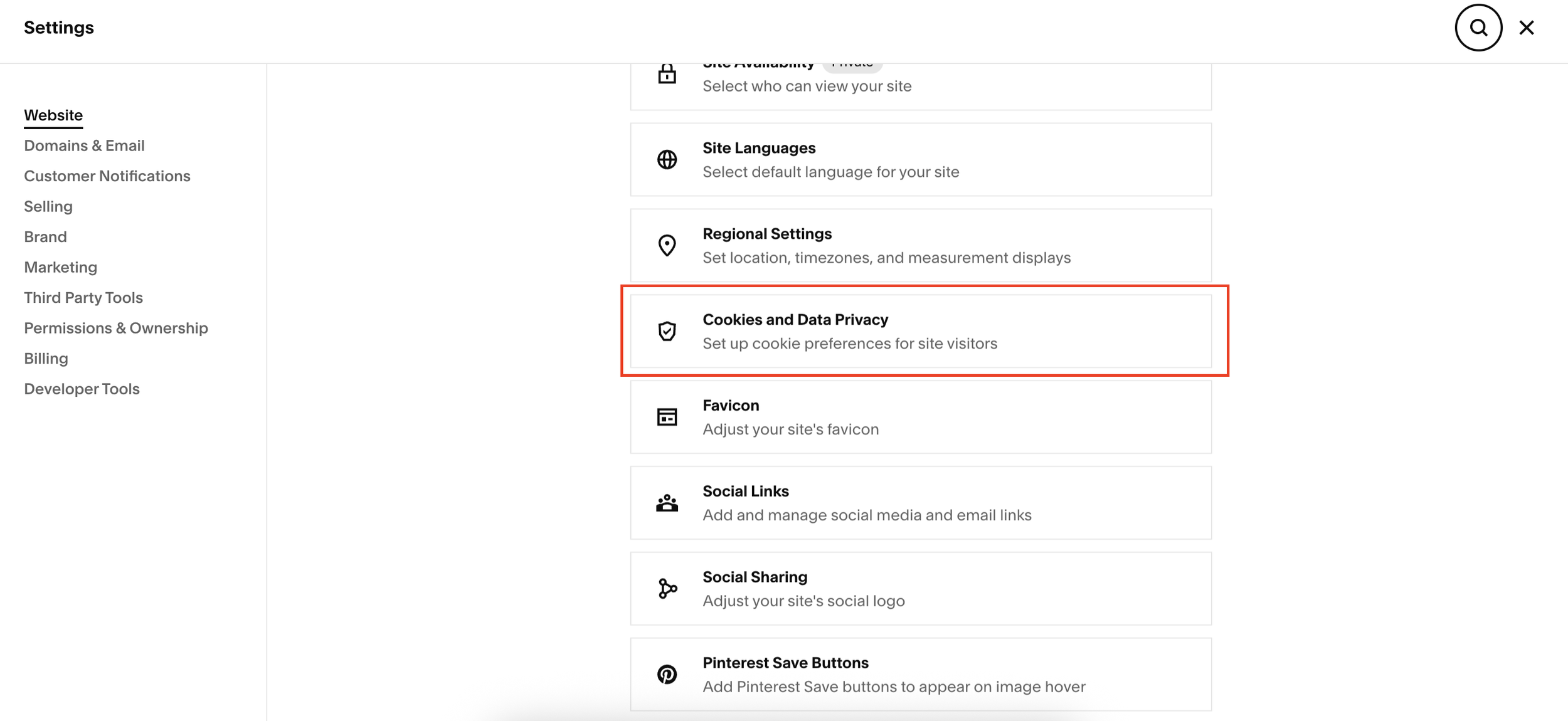
Step 1: Open Your Squarespace Settings
From your Squarespace dashboard:
Go to Settings
Navigate to Website
Click on Cookies & Data Privacy
Step 2: Enable “Restrict Cookies”
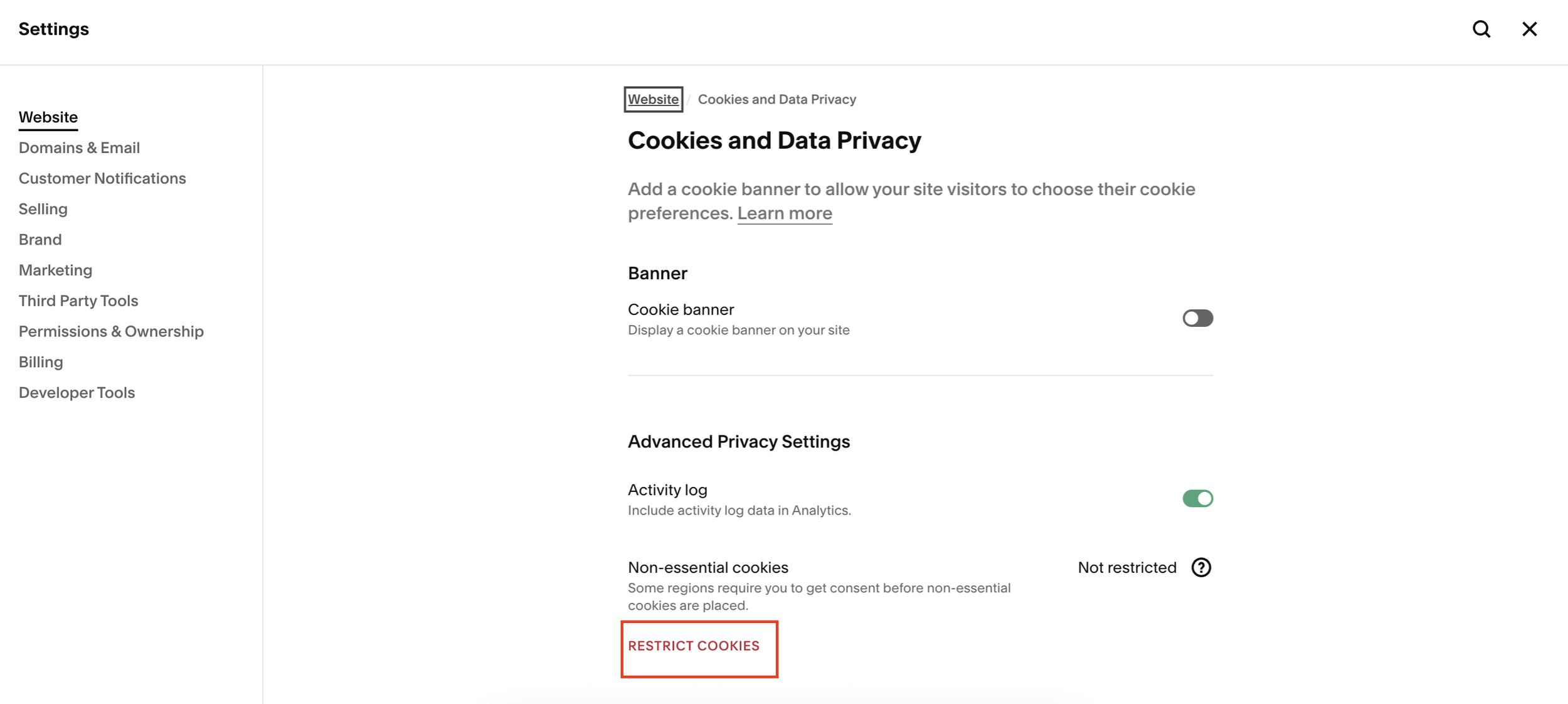
Once inside Cookies & Data Privacy:
Click Restrict Cookies
You’ll see a warning message explaining that non-essential cookies will be restricted
This means tracking and marketing cookies won’t run without user consent
Step 3: Save Your Changes
To make the change live:
Click Save
That’s it, your Squarespace website is now restricting non-essential cookies.
How to Remove Cookie Restrictions (If Needed)
If you ever decide to turn cookie restrictions off:
Go back to Settings > Website > Cookies & Data Privacy
Toggle Restrict Cookies off
Click Save
The restriction is removed instantly. Simple and flexible.
Final Thoughts
Squarespace’s cookie restriction feature is a quick win for website owners who want to:
Stay compliant with international privacy laws
Protect user data
Maintain control over cookie usage
If you’re running a business website or serving visitors from multiple countries, this is a setting you should absolutely review.